Mobile Panic Button Technology
How a Mobile SOS Alert Reaches a Security Control Room
Follow a mobile SOS from activation to resolution, including connectivity, location permissions and the operator decisions that technology cannot replace.
Published by Omega Panic Grid ·
In this guide
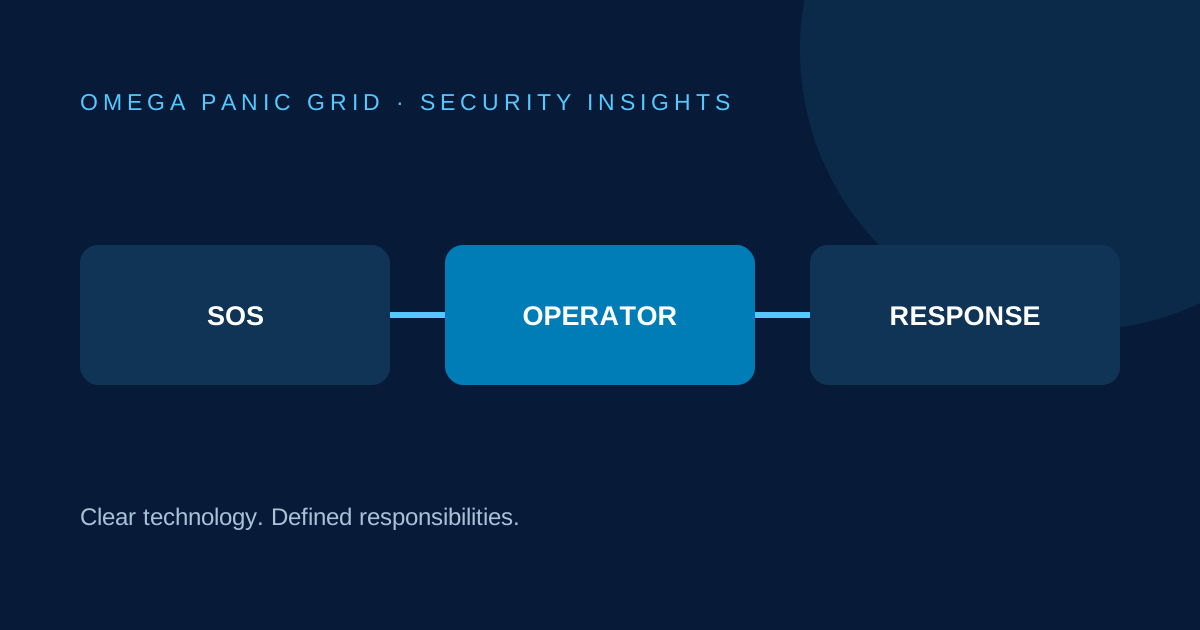
Think of an alert as a chain of handoffs
A mobile SOS system connects a person asking for assistance with a team responsible for assessing and acting on that request. In a typical arrangement, the phone captures an activation, communicates it to the service, and makes the alert available to an authorised monitoring operator. The operator then follows the organisation’s contact and response procedure.
Each handoff has conditions. The phone needs to be usable, the relevant service needs connectivity, and someone needs to be monitoring the correct console. A visible button by itself does not prove that the entire chain is ready. This is why onboarding should end with an agreed end-to-end test, rather than just a successful sign-in.
Activation and communication are different events
Pressing SOS is an action on the device. Receipt by the monitoring service is a separate event. A system may provide feedback about that process, but operators and users must understand what each message actually confirms. Do not assume that an animation means a responder has been assigned.
Ask your provider what happens when a connection drops, how failed delivery is communicated and which alternative contact route a user should follow. Do not advertise offline alert delivery unless the actual product has been tested and documented to support it. For urgent assistance, follow the emergency and fallback arrangements provided by the responsible service.
What a reported location can and cannot tell you
A phone can report a position to support incident assessment. It is not necessarily an exact doorway, flat, floor or access gate. The operator should consider the available position information alongside client contact, site information and the time associated with the reading.
Android distinguishes approximate and precise location permissions, and a user may grant only approximate access. Apple also lets users control Location Services for individual apps. These platform controls explain why a requested position is not automatically a precise one. Product-specific behaviour must still be verified on the device and software being deployed.
Acknowledgement establishes operational ownership
Once an alert appears, an acknowledgement should make it clear that a responsible operator is handling the incident. The next task is to establish the nature of the request and follow the agreed escalation procedure. Acknowledging a screen does not itself resolve an incident or establish that physical assistance is on the way.
In a practical drill, ask who owns an alert if two operators are present, what happens during a shift handover and how an unanswered contact attempt is recorded. These are operating-procedure questions. Do not publish private escalation rules or sensitive control-room access details as marketing material.
Use dispatch communication deliberately
Where an organisation uses WhatsApp to assist a dispatch handoff, the operator should review the destination and the information before sharing. A draft or copied location is not proof that a responder received, accepted or acted on it. Confirmation belongs in the response procedure.
Limit shared information to what the authorised recipient needs. Avoid placing client location records in broad groups or public posts. The response team should confirm practical access details where possible; a route displayed on a map does not establish permission to enter a property.
Close the loop and test the whole path
A useful test checks activation, monitoring receipt, operator acknowledgement, contact recording, dispatch coordination and closure. Record the observed times rather than inserting a target response time as though it were achieved. Repeat the drill under the service’s normal operating arrangements and document exceptions.
Omega Panic Grid’s public demo illustrates this sequence and creates a browser-local test timeline. Its console maps are sample images, and no emergency, phone call or dispatch is sent. The operational platform and your organisation’s monitoring setup must be assessed separately. Start with the demo to understand the workflow, then request an onboarding discussion for a controlled operational test.
Follow the demo from SOS to resolution · Plan a controlled estate drill
Continue your research
- Current platform pricing
- Interactive platform demonstration
- Setup and quotation enquiry
- Panic button software for security companies
References and product evidence
- Android Developers — Request location permissions
- Apple Support — Location Services and GPS
- Omega Panic Grid — platform, pricing, demonstration and onboarding
Sources reviewed 1 November 2026. General planning guidance, not legal or medical advice. No response time, delivery or business return is guaranteed. Confirm current product and contractual details for your deployment.